Game Overview
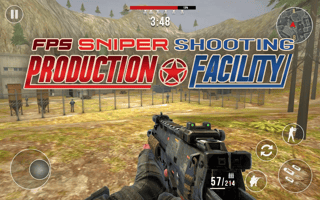
Dive into hostile terrain as a highly trained soldier in FPS Sniper Shooting: Production Facility. Strategize between stealthy sniper shots and intense close-range combat, choosing the best approach to eliminate your foes. Navigate with skill, select from varied weapons, and conquer challenging missions without alerting the enemy.
Part of our shooter line-up. The related list at the bottom of the page has more in the same vein.
How to Play
On desktop, this game uses your keyboard and mouse — the title screen lays out the exact controls. On a phone or tablet, rotate to landscape and use the on-screen touch controls; most games auto-show their button layout the first time they load.
Tips & Tricks
- Headshots are worth the extra aim time — body shots rarely close out a fight.
- Move between cover; standing still is the easiest way to die.
- Pre-aim corners before you turn them.
Frequently Asked Questions
- Who made FPS Sniper Shooting: Production Facility?
- FPS Sniper Shooting: Production Facility is published through the GamePix network. The original developer retains ownership; PixelPop Arcade simply embeds the game with permission and writes the original supporting copy you are reading now.
- What is the goal of FPS Sniper Shooting: Production Facility?
- Like most shooter games, the goal is to eliminate threats while staying alive. The first few levels work as a tutorial.
- Does FPS Sniper Shooting: Production Facility support a gamepad?
- FPS Sniper Shooting: Production Facility accepts the standard controls described in "How to Play" above. Gamepad support depends on the individual build — most titles here fall back to keyboard if a controller is not detected.