Game Overview
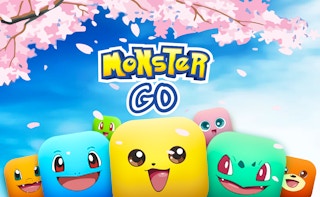
Dive into a whimsical world where strategy meets charm in Monster Go. Connect adorable cube-shaped monsters on a vibrant grid to unravel a challenging puzzle adventure. Test your wits in increasingly tricky levels, earning stars as you strategically conquer each colorful stage. Can you master every delightful challenge?
Part of our puzzle line-up. The related list at the bottom of the page has more in the same vein.
How to Play
On desktop, use your keyboard and mouse — Monster Go shows the exact controls on its title or help screen. On a phone, the game is built portrait-first with one-thumb touch controls; the on-screen prompts walk you through any custom gestures.
Tips & Tricks
- Match the lowest-value pieces only when no high-value moves are left.
- Track the colour distribution; one missing colour can stall a whole board.
- Take the time to undo a move if the game lets you — there is rarely a penalty.
Frequently Asked Questions
- Who made Monster Go?
- Monster Go is published through the GamePix network. The original developer retains ownership; PixelPop Arcade simply embeds the game with permission and writes the original supporting copy you are reading now.
- What is the goal of Monster Go?
- Like most puzzle games, the goal is to solve each board with as few wasted moves as possible. The first few levels work as a tutorial.
- Does Monster Go support a gamepad?
- Monster Go accepts the standard controls described in "How to Play" above. Gamepad support depends on the individual build — most titles here fall back to keyboard if a controller is not detected.