Game Overview
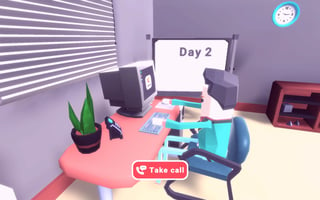
Manage the hustle of My City Hospital, where vibrant visuals meet immersive gameplay. Handle medical challenges, from childbirth to complex surgeries, with intuitive mouse or touch controls. Enjoy a sandbox experience by freely placing objects and interacting with numerous trigger points for endless educational fun.
Part of our simulation line-up. The related list at the bottom of the page has more in the same vein.
How to Play
On desktop, use your keyboard and mouse — My City Hospital shows the exact controls on its title or help screen. On phones and tablets, on-screen touch controls appear automatically when the game loads.
Tips & Tricks
- Diversify your income streams so a single bad event cannot crash your run.
- Check the back-end systems regularly; idle resources are wasted resources.
- Save before any big purchase — testing options is part of the strategy.
Frequently Asked Questions
- Who made My City Hospital?
- My City Hospital is published through the GamePix network. The original developer retains ownership; PixelPop Arcade simply embeds the game with permission and writes the original supporting copy you are reading now.
- What is the goal of My City Hospital?
- Like most simulation games, the goal is to grow and optimise your operation over time. The first few levels work as a tutorial.
- Does My City Hospital support a gamepad?
- My City Hospital accepts the standard controls described in "How to Play" above. Gamepad support depends on the individual build — most titles here fall back to keyboard if a controller is not detected.