Game Overview
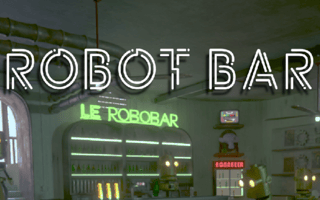
Dive into a futuristic sci-fi scene in Robot Bar, where cheerful robots relax at a club. Sharpen your observation skills and find differences between two pictures before time runs out. With only five chances, precision is your ally in this thrilling and whimsical challenge.
Part of our puzzle line-up. The related list at the bottom of the page has more in the same vein.
How to Play
On desktop, this game uses your keyboard and mouse — the title screen lays out the exact controls. On a phone or tablet, rotate to landscape and use the on-screen touch controls; most games auto-show their button layout the first time they load.
Tips & Tricks
- Clear edges first; corners tend to lock up the board if you ignore them.
- When in doubt, take the move that opens up the most empty space.
- Save your power-ups for tough levels — the early stages rarely need them.
Frequently Asked Questions
- Does Robot Bar - Find the differences have difficulty settings?
- Difficulty in Robot Bar - Find the differences usually scales with your progress rather than through a menu setting. Early levels introduce the core mechanics; later stages add new variables.
- Can I play Robot Bar - Find the differences offline?
- Robot Bar - Find the differences streams from the GamePix network, so it needs an internet connection to load. Brief drops once the game is running typically will not crash your run.
- Is Robot Bar - Find the differences suitable for younger players?
- Robot Bar - Find the differences is suitable for general audiences. As with any game from a third-party network, parents may want to play through a level themselves first to confirm it fits their household.