Game Overview
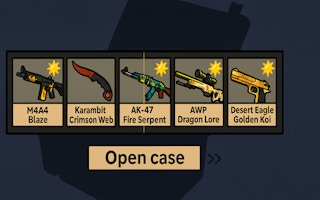
Embark on a skin-hunting adventure in Case Opener! Each click reveals dazzling Counter-Strike 2 skins to expand your collection or sell for profit. Upgrade your luck and speed for even bigger rewards. With vibrant visuals and daily bonuses, this single-player journey promises endless, kid-friendly clicking fun.
Part of our simulation line-up. The related list at the bottom of the page has more in the same vein.
How to Play
On desktop, this game uses your keyboard and mouse — the title screen lays out the exact controls. On a phone or tablet, rotate to landscape and use the on-screen touch controls; most games auto-show their button layout the first time they load.
Tips & Tricks
- Re-invest early profits — long-term scaling matters more than first-day income.
- Automate the most repetitive tasks first; you will recover the cost quickly.
- Keep one upgrade ahead of demand; bottlenecks cost more than over-investment.
Frequently Asked Questions
- Does Case Opener - Case Clicker Simulator have difficulty settings?
- Difficulty in Case Opener - Case Clicker Simulator usually scales with your progress rather than through a menu setting. Early levels introduce the core mechanics; later stages add new variables.
- Can I play Case Opener - Case Clicker Simulator offline?
- Case Opener - Case Clicker Simulator streams from the GamePix network, so it needs an internet connection to load. Brief drops once the game is running typically will not crash your run.
- Is Case Opener - Case Clicker Simulator suitable for younger players?
- Case Opener - Case Clicker Simulator is suitable for general audiences. As with any game from a third-party network, parents may want to play through a level themselves first to confirm it fits their household.